Storage
NAS File Server for business: centralized storage, secure backup and easier maintenance
How to choose a NAS File Server for business, including sizing, RAID, permissions, Active Directory, snapshots, backup, ransomware protection, security and maintenance.
Executive summary: turn scattered files into managed business data
Many companies still keep important files on personal computers, messaging apps, USB drives or unmanaged cloud folders. That may feel convenient at first, but it becomes risky when staff changes, departments grow and data volume increases.
A business NAS File Server gives the company one controlled location for documents, accounting files, HR records, drawings, project folders, scans and backup data. The IT team can manage who can read, write, restore and administer each area.
Tien Thanh Digitech can survey, supply, install, configure and maintain NAS systems with handover documentation, permission matrix, backup schedule, snapshot policy and maintenance checklist.
- Centralize shared data instead of spreading it across personal devices.
- Apply folder permissions by department, group and role.
- Automate snapshots, backups and health alerts.
- Reduce data-loss risk from disk failure, staff turnover, accidental deletion and ransomware.
What is a NAS File Server?
NAS stands for Network Attached Storage. It is a storage device connected to the LAN so users can access shared folders through the internal network or a secure remote-access design.
When configured properly, a NAS can work as a dedicated file server for SMB access, department folders, user permissions, branch synchronization, PC backup, server backup, camera storage and recovery from incidents.
For small teams, NAS may start as simple shared storage. For larger organizations, it becomes a data management platform that needs sizing, RAID design, permission governance, monitoring and backup planning.
Why businesses should avoid scattered file storage
Files stored on individual computers are hard to control. The company may not know which version is current, who has access, whether data is backed up or what happens when an employee leaves.
Unmanaged sharing also creates security issues. Accounting records, HR files, contracts, customer records and technical drawings can be exposed through personal accounts or copied to uncontrolled devices.
A NAS File Server changes the operating model: data is centralized, permissions are group-based, access can be logged, backup is scheduled and maintenance becomes predictable.
- ✓Do not rely on USB drives or personal messaging apps as the main sharing method.
- ✓Do not keep critical business data on only one employee computer.
- ✓Do not grant broad access to everyone just to deploy quickly.
- ✓Always pair production storage with snapshots and independent backups.
Choosing NAS by business scale and brand
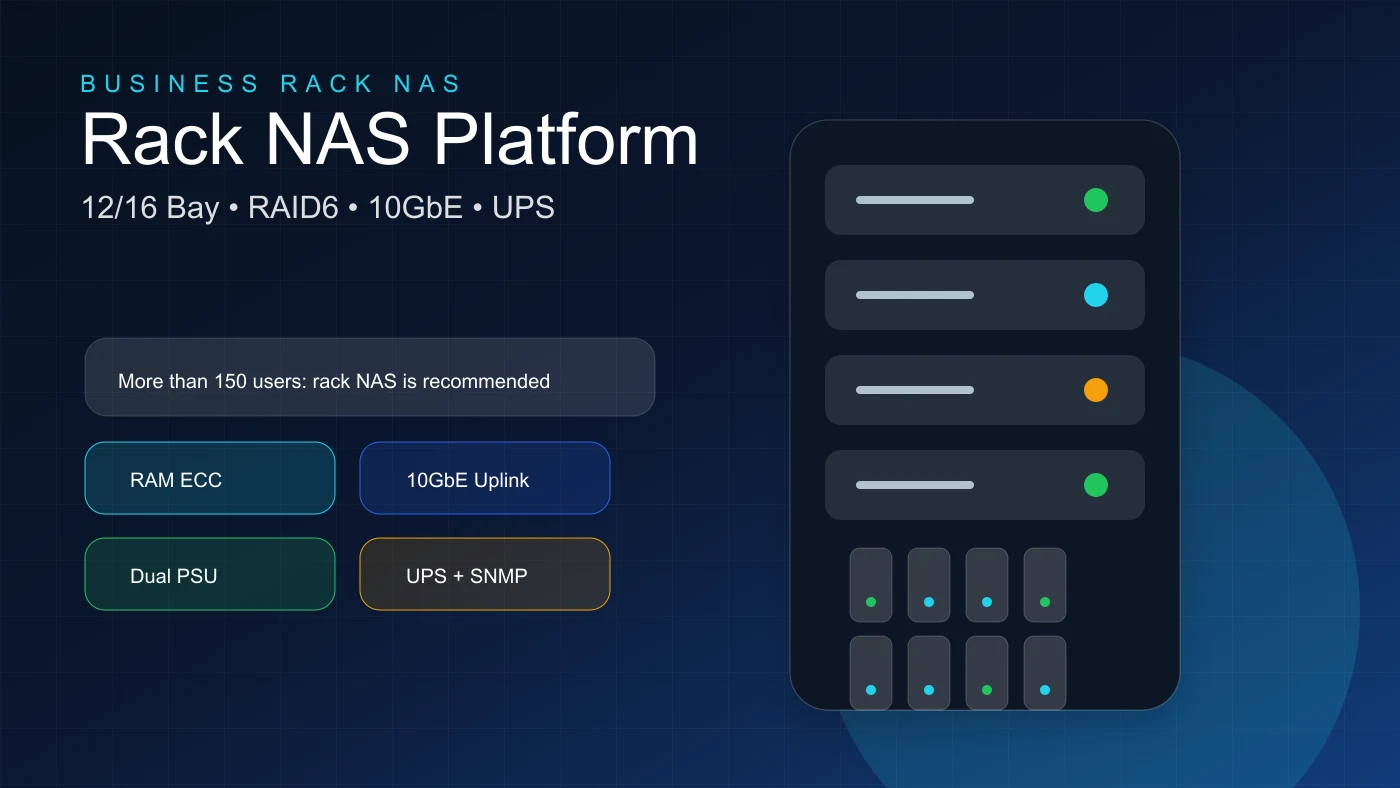
A NAS should be selected by user count, data volume, access speed, backup requirements, security level and expansion plan, not only by device price.
For 5 to 25 users, a 4-bay or 5-bay desktop NAS can be enough. For 25 to 80 users, consider 5 to 8 bays, 16-32GB RAM, RAID6 or SHR-2, UPS and external backup. From 80 to 150 users, rackmount NAS, ECC RAM, 10GbE and offsite backup become more practical. Above 150 users, enterprise rack NAS is usually the better design.
Popular options include Synology, QNAP, ASUSTOR, Buffalo and TrueNAS/iXsystems. Synology is often selected for ease of operation and backup ecosystem. QNAP is strong in hardware flexibility. ASUSTOR can fit budget-conscious deployments. TrueNAS is powerful for teams that can operate ZFS properly.
- Synology: strong DSM ecosystem, backup, snapshots and simpler handover.
- QNAP: strong hardware options and flexibility, but needs careful security configuration.
- ASUSTOR: competitive pricing for general NAS use cases.
- TrueNAS/iXsystems: excellent ZFS control for experienced IT teams.
- For non-China origin requirements, verify CO/CQ, import documents, label, serial and actual batch origin instead of relying only on brand name.
Rack NAS, capacity planning and RAID6
A large NAS should be planned for three to five years, including data growth, snapshot retention, backup capacity and free space for operations. A useful estimate is: required usable capacity = current data x growth factor for 3-5 years x 1.3 reserve.
RAID6 or SHR-2 is recommended for many-bay systems because it can tolerate up to two disk failures in the same storage pool. This matters when drives are large and rebuild time is long.
RAID is not backup. RAID keeps the system running through certain disk failures; backup is what helps recover from accidental deletion, ransomware, severe hardware failure or human error.
- ✓Use NAS or Enterprise CMR drives, preferably same model and capacity.
- ✓Use Btrfs when supported to enable snapshots and data integrity features.
- ✓Plan 10GbE uplink when many users access large files.
- ✓Include spare drive, UPS, monitoring and replacement process in the budget.
Permission design with groups and Active Directory
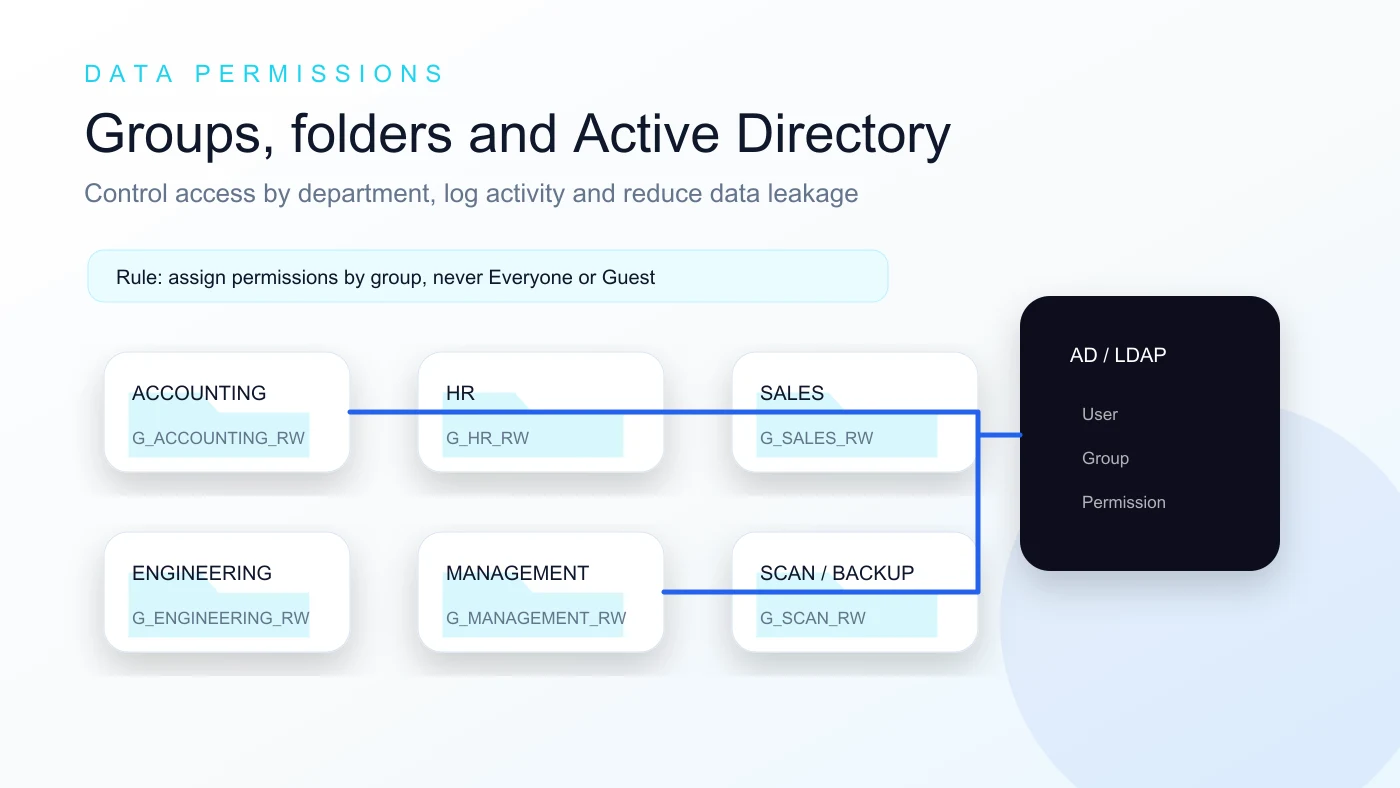
A professional NAS should use group-based permissions. Create department groups first, then add users to the right groups. This makes onboarding, transfer and offboarding much easier.
Do not use the admin account for daily work. Do not enable guest access. Do not grant Full Control to Everyone. Sensitive folders such as accounting, HR and management should have stricter permissions.
If the business already uses Windows Server Active Directory, joining the NAS to the domain allows centralized user management and drive mapping through Group Policy.
- Suggested folders: SHARED, ACCOUNTING, HR, SALES, ENGINEERING, MANAGEMENT, SCAN, PC_BACKUP, PROJECTS and ARCHIVE.
- Suggested groups: SHARED_RW/RO, ACCOUNTING_RW/RO, HR_RW, SALES_RW, ENGINEERING_RW, MANAGEMENT_RW, SCAN_RW and IT_ADMIN.
- Grant access through groups, not random individual users, unless there is a documented exception.
- When an employee leaves, disable the account first and then review related group memberships.
Deployment topology and initial configuration
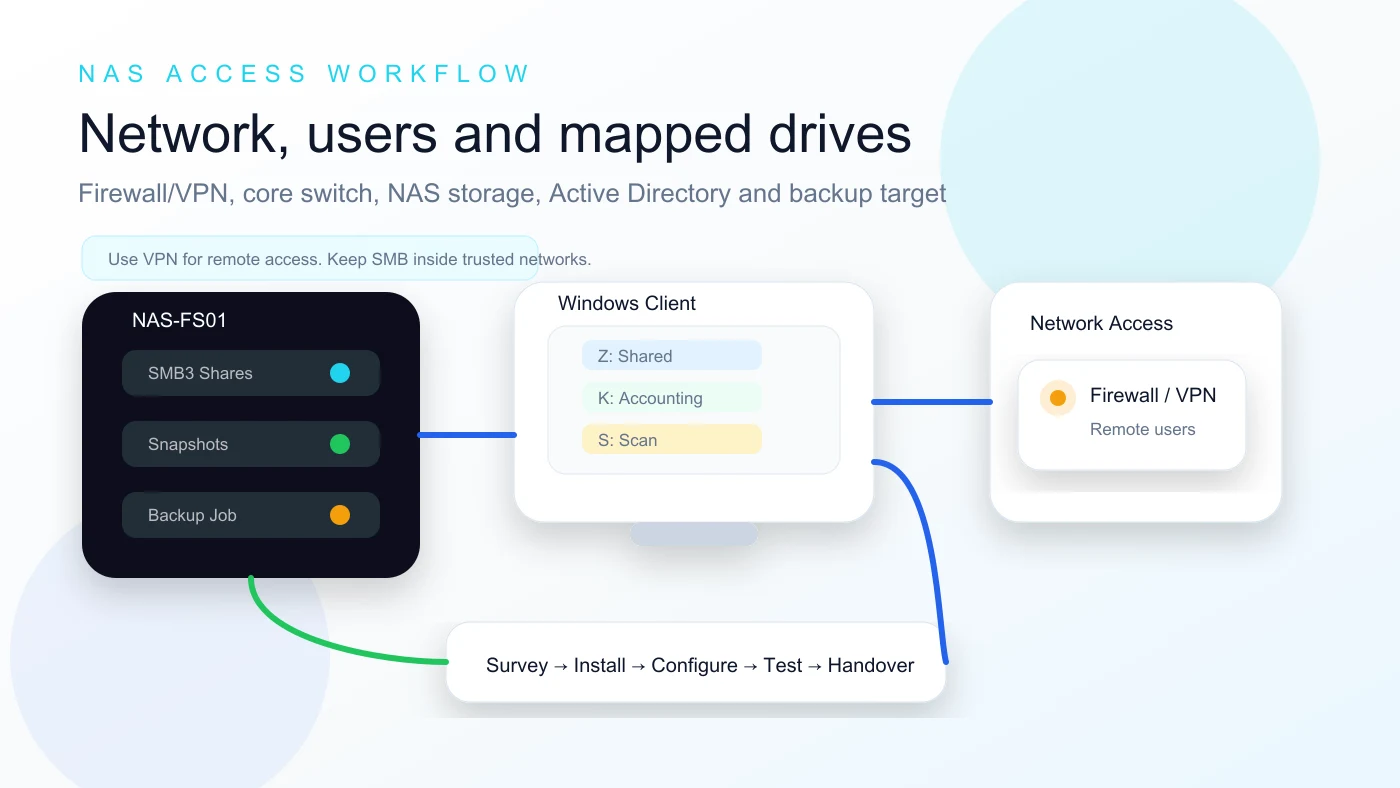
A deployment should start with a technical survey: user count, current data size, file types, network speed, switch capacity, firewall, VLANs, Active Directory, remote access, branches, RPO/RTO and warranty requirements.
During installation, check serial numbers, warranty labels, disks, memory, network cards, rail kit, power cabling, UPS and switch connections. Then configure hostname, static IP, DNS, gateway, NTP, time zone, admin accounts and email alerts.
For SMB, use SMB2/SMB3 and disable SMB1 unless a legacy device requires it. Disable FTP, AFP, NFS or SSH unless there is a clear operational need.
- ✓Design the path through Firewall/VPN, core switch, server/storage VLAN, NAS File Server, UPS and an independent backup target.
- ✓Use clear mapped-drive names for shared folders such as Shared, Accounting, Scan, Projects or department folders.
- ✓Drive mapping should use domain accounts, groups or Group Policy instead of shared administrator credentials.
- ✓The handover should include topology, NAS hostname, shared folder list, permission groups and access instructions.
Snapshots, 3-2-1-1-0 backup and ransomware protection
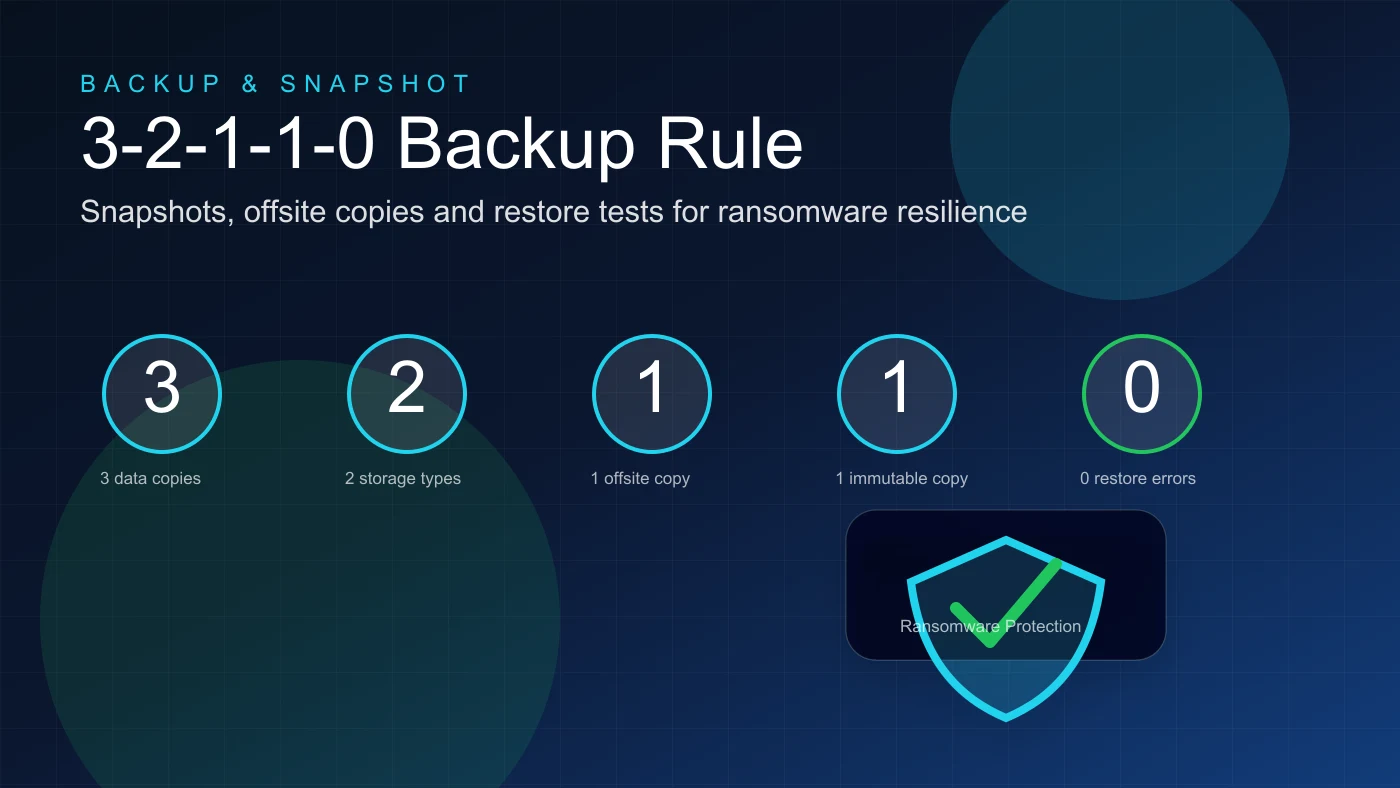
Snapshots protect against accidental deletion, overwrites and some ransomware scenarios by allowing data to be restored to an earlier point in time. Critical folders should have more frequent snapshots and longer retention.
A practical backup strategy follows 3-2-1-1-0: three copies, two storage types, one offsite copy, one offline or immutable copy and zero errors after verification.
Do not expose SMB 445, NAS admin ports, FTP, SSH or Telnet directly to the Internet. Remote access should go through VPN or another controlled secure path.
- ✓Snapshot accounting, HR and project folders more frequently than general shared folders.
- ✓Back up to a secondary NAS, removable storage, cloud or another site.
- ✓Use client-side encryption and integrity check when supported.
- ✓Test restore monthly or quarterly.
- ✓Enable 2FA, firewall, auto block and alert emails.
Maintenance, handover and when to upgrade to rack NAS
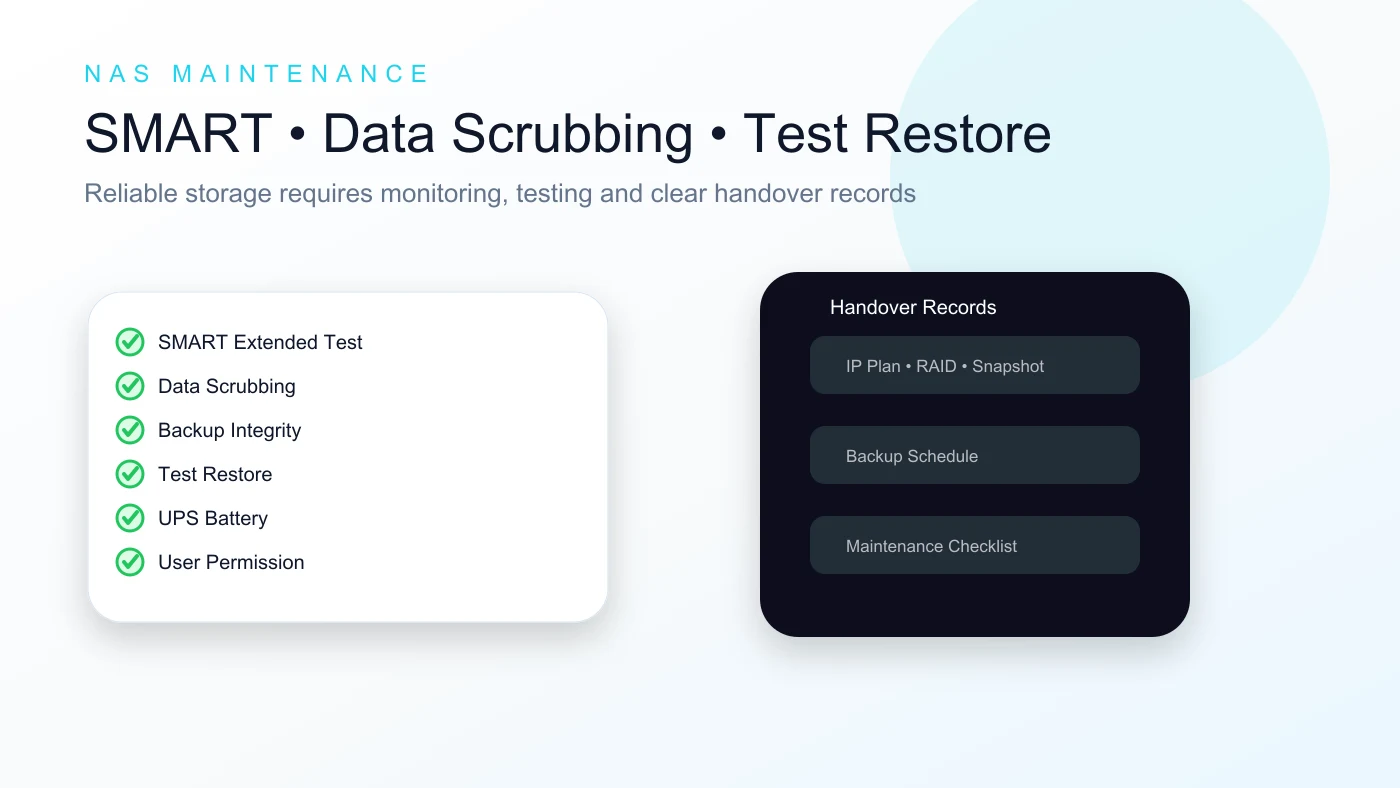
A NAS system needs regular maintenance. Daily checks can focus on alerts, capacity, disk health and backup status. Weekly checks should include logs, snapshots and UPS. Monthly checks should include SMART Extended Test, Data Scrubbing and sample restore testing.
The handover package should include topology, IP and VLAN information, admin accounts, users and groups, permission matrix, RAID and volume design, shared folders, snapshot schedule, backup schedule, drive-mapping guide, test records, serial numbers, warranty information and maintenance checklist.
Consider rack NAS when the company has more than 50-100 users, more than 10TB of data, a rack cabinet, core switch, firewall, UPS, 10GbE requirement, 24/7 operation or formal technical acceptance requirements.
How Tien Thanh Digitech can support your NAS project
Tien Thanh Digitech provides survey, consulting, device supply, rack or desktop installation, RAID and volume setup, SMB configuration, Active Directory integration, folder permissions, snapshots, backup, security hardening, data migration and user training.
If your business needs NAS File Server consulting, rack NAS deployment, backup configuration or scheduled NAS maintenance in Da Nang and Central Vietnam, contact Tien Thanh Digitech for a practical configuration and implementation plan.
- Hotline: 0935 130 785 - 0868 718 179.
- Email: tienthanh@tienthanhdigitech.com.
- Service area: Da Nang and Central Vietnam.
- Related services: NAS, file server, backup, network maintenance, CCTV, server and office IT infrastructure.
FAQ
Can a NAS replace a traditional file server?
Yes, in many file-sharing, permission, backup and branch-sync scenarios. If the company runs ERP, large databases or application workloads, the design should be reviewed to decide whether NAS, a server or a hybrid approach is better.
Do we still need backup if the NAS uses RAID?
Yes. RAID helps the system survive certain disk failures, but it does not protect against accidental deletion, ransomware, hardware failure, theft or configuration mistakes. Snapshots and independent backups are still required.
Can NAS help against ransomware?
A NAS can reduce ransomware impact when permissions, snapshots, immutable or offline backups, account security and network isolation are configured correctly. It should not expose SMB or the admin interface directly to the Internet.
How should remote users access NAS data?
Use VPN or a controlled secure access method. Avoid exposing SMB 445, FTP, SSH or the NAS management interface directly to the Internet unless a proper security architecture is in place.
How often should a business NAS be maintained?
At minimum, check alerts, capacity, disk health and backup status monthly. Larger systems should be monitored weekly, tested for restore regularly and reviewed for permissions every quarter.
Reader interaction
Rate and discuss this article
Help other readers evaluate the article quality and leave practical implementation questions.
Article rating
Rate the usefulness of this technical article.
Comments
Ask a question or share a field note after reading.
Share article
Send this article through Facebook, Zalo, LinkedIn or email.